

Recording a Meeting Shouldn't Cost This Much
No Google Workspace upgrade. No screen permissions to hand over.
Record Google Meet, Zoom & Teams for free — the most secure screen recorder on macOS
Under App Store review, coming soon · Requires macOS 15.0 (Sequoia) or later
Screen Recording Shouldn't Be This Painful
Sound familiar?
Google Workspace Upgrade
$168/user/year
Google Meet's free tier can't record. To unlock recording, you need Business Standard — and it's an org-wide upgrade. A 10-person team? That's $1,680/year.
Third-Party Recorders
Demand Dangerous Permissions
Most screen recorders require Screen Recording and Accessibility TCC permissions — granting full access to everything on your Mac. A serious security risk for any enterprise.
OBS Is Overkill
QuickTime Falls Short
OBS needs scenes, audio routing, and 30 minutes of setup. QuickTime can't capture system audio. You just want to record a meeting, not become a streamer.
Clean, Intuitive Interface
Click record, pick a window, start capturing instantly
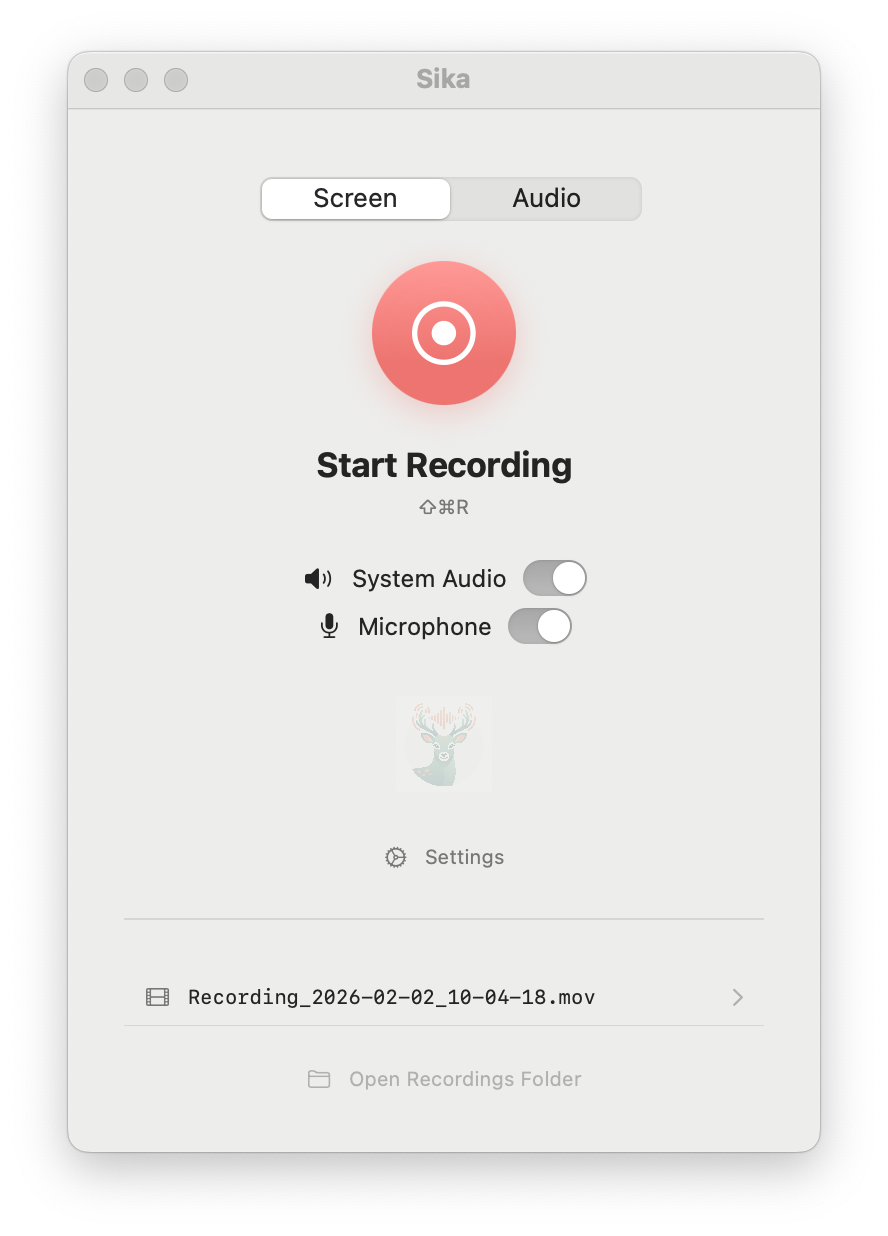
Record every meeting — no paid upgrade needed
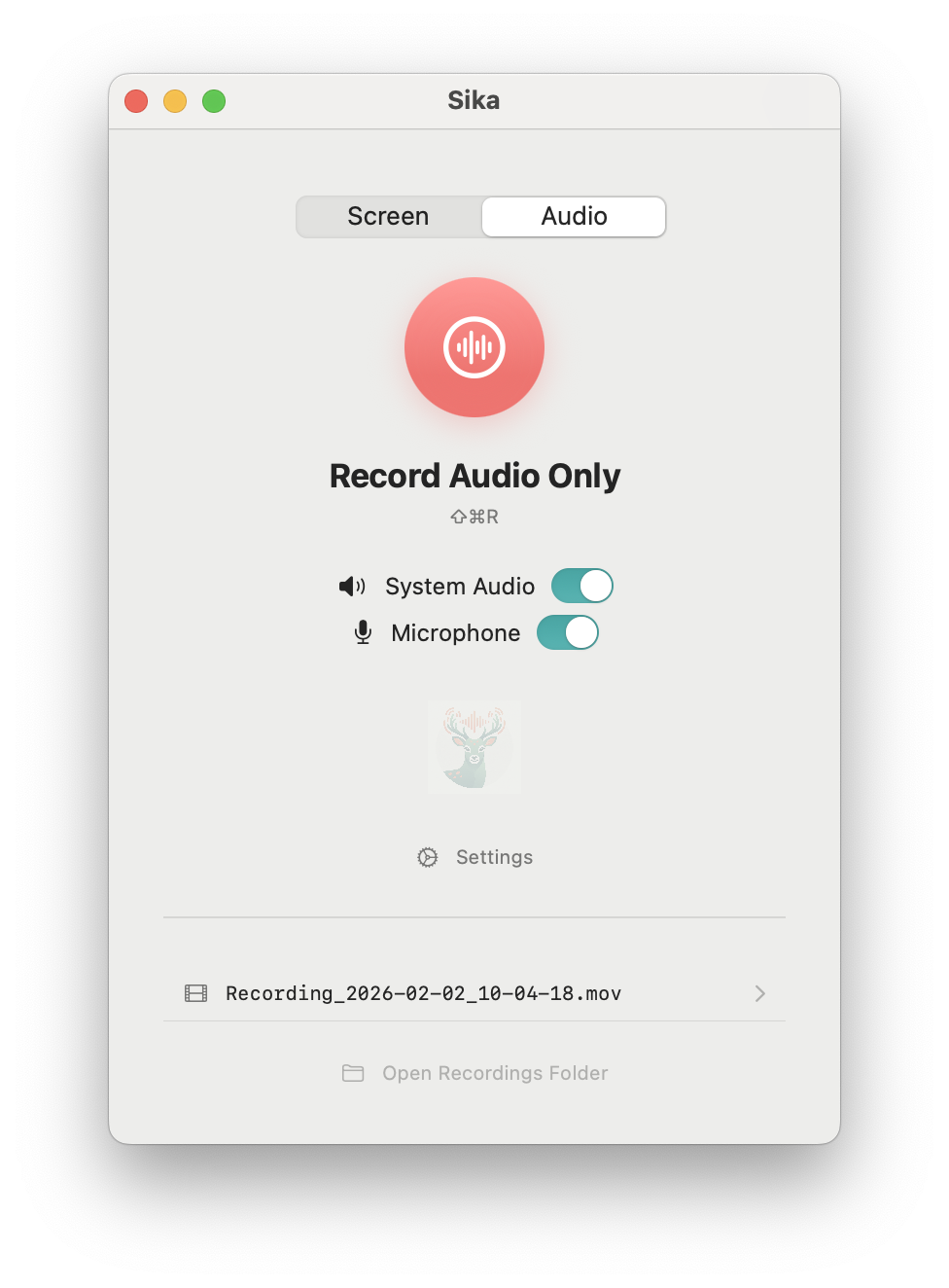
Audio-only mode, auto export .m4a
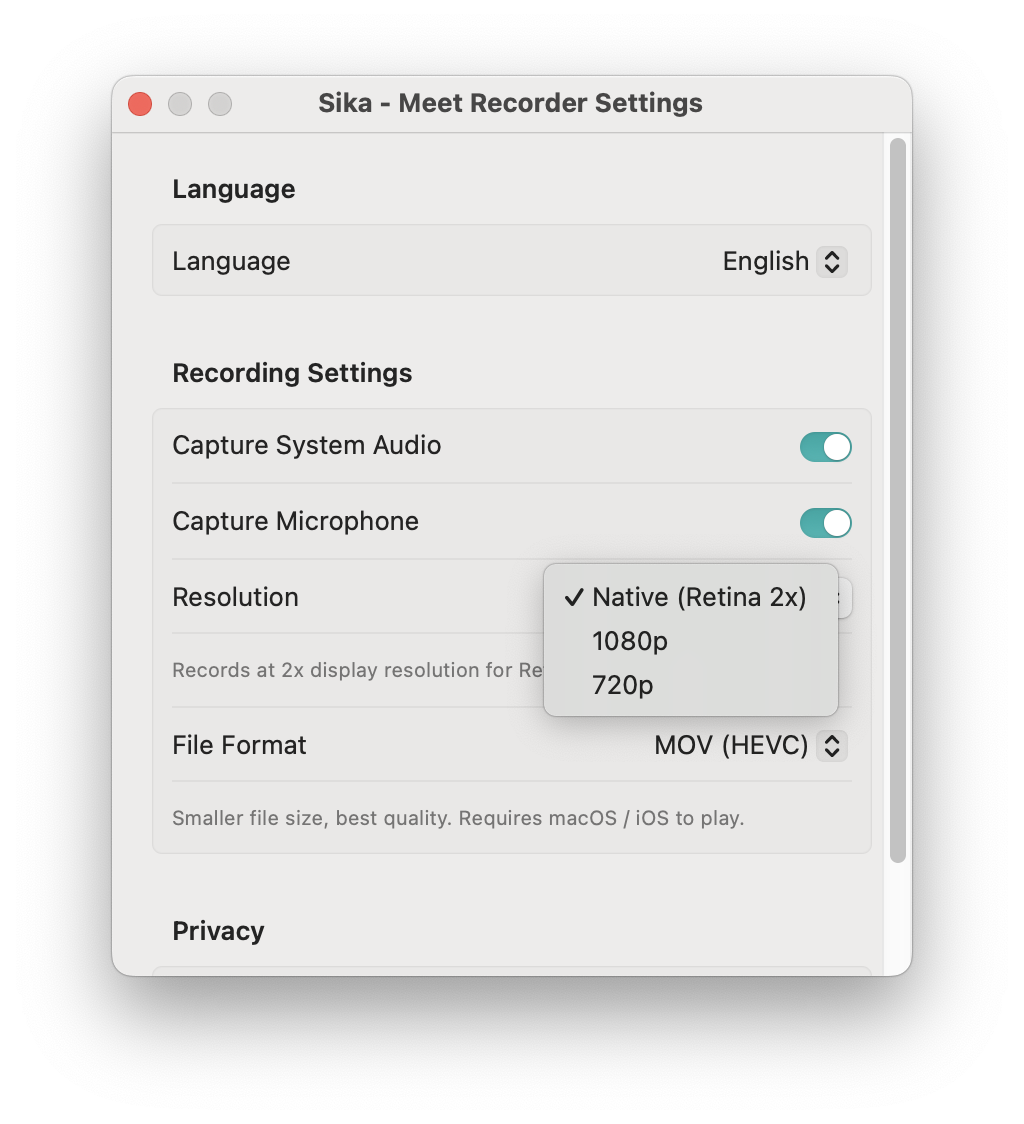
HEVC quality, smaller file sizes
Why Sika?
Built on Apple's principle of least privilege — only requesting the permissions truly needed
No Screen Recording Permission
Built on Apple's ScreenCaptureKit API with the native system content picker. No "Screen Recording" TCC permission needed. Only captures what you explicitly choose — no access to anything else.
Record Meetings for Free
Google Meet, Teams, and Zoom don't offer recording on free tiers. Sika captures directly from macOS — no premium subscription required.
Dual Audio Capture
Record system audio and microphone simultaneously — no need for BlackHole, Loopback, or any extra audio plugins.
HEVC Quality
HEVC (H.265) and H.264 encoding support — smaller files, great quality, faster uploads and sharing.
Audio-Only Mode
Only need the audio? Switch to audio-only mode for automatic .m4a export — perfect for meeting recordings.
Native & Lightweight
100% Swift, built natively for macOS. App Sandbox security. Minimal resource usage — two clicks to start recording.
Perfect For
Simpler than OBS, more capable than QuickTime, more private than CleanShot
Online Meetings
Can't record on Google Meet's free plan? Stop paying $10/month per user just for recording. Sika captures screen and audio in one click.
Enterprise Security
IT won't approve apps that require Screen Recording permissions? Sika needs no sensitive permissions — passes security audits with ease.
Tutorials & Demos
QuickTime can't record system audio? Sika captures system audio + microphone natively, with HEVC compression for smaller files.
OBS Too Complex?
Just need a quick screen recording? No scenes to configure, no audio routing. Sika starts in two clicks — a lightweight OBS alternative.
How Sika Compares
The only free recorder that doesn't need Screen Recording permission
| Sika | QuickTime | OBS | CleanShot X | |
|---|---|---|---|---|
| Screen Recording Permission | Not required | Required | Required | Required |
| System Audio | ✓ | ✗ | Needs plugin | ✓ |
| Setup Complexity | Two clicks | Simple | Complex | Simple |
| App Sandbox | ✓ | ✓ | ✗ | ✗ |
| HEVC Encoding | ✓ | ✓ | ✓ | ✗ |
| Price | Free | Free | Free | $29 one-time |
Technical Details
Record Every Meeting for Free
No Screen Recording permission. No paid upgrades. No privacy trade-offs.
Under App Store review, coming soon